
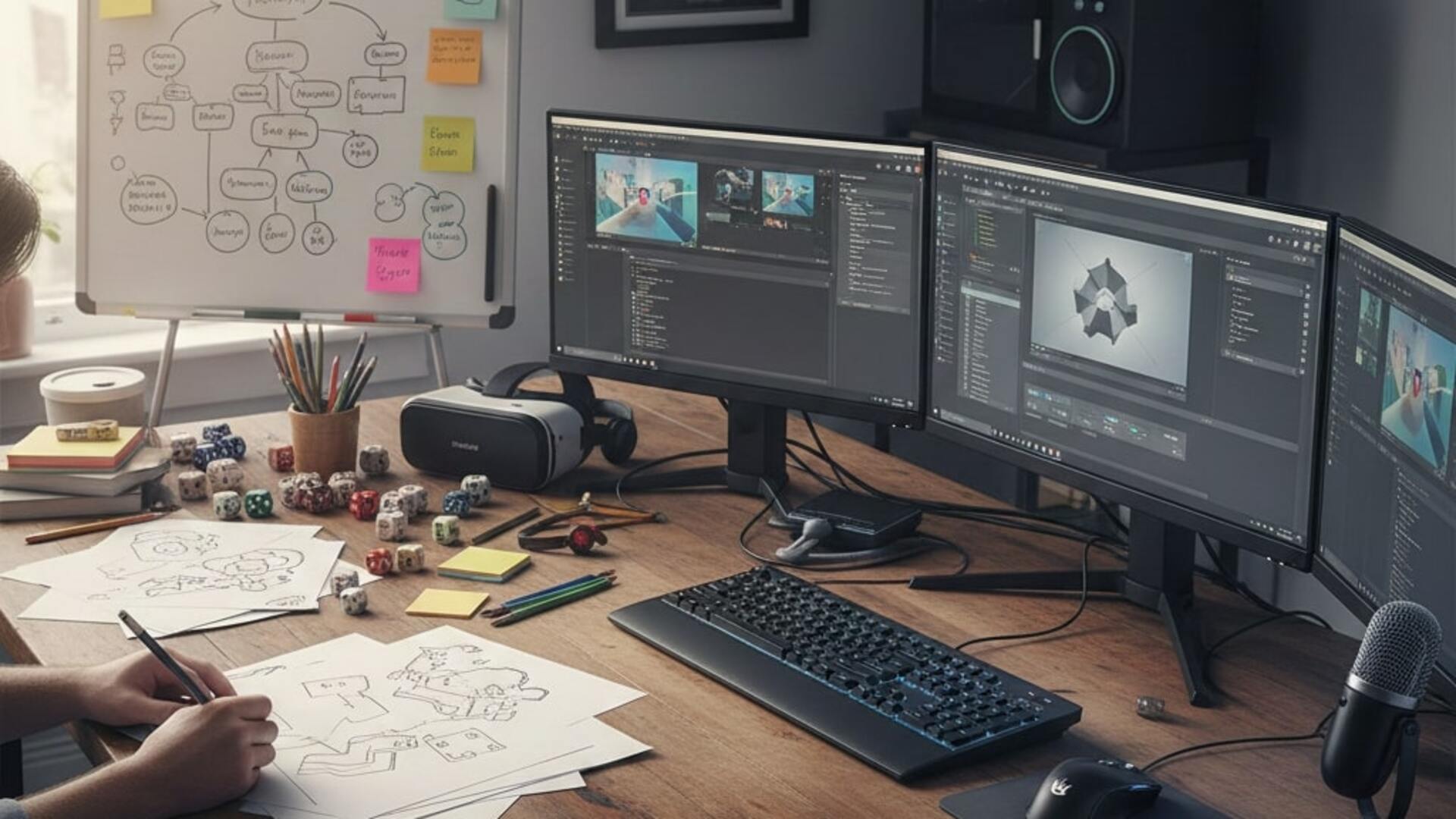
Best Tools for Game Designers: From Paper Prototyping to Unreal Engine
12 January, 2026
Not sure which tools to use for game design? This practical guide breaks down the best tools—from paper prototyping to Unity and Unreal—so you can design smarter and build games that feel right.
Game ideas always begin the same way – a spark, a mechanic you can’t stop thinking about, or a moment you see in your head long before it exists on screen.
But turning that idea into something real requires tools. Not just software, but the right tools at the right stage of the design process.
One mistake beginners make is jumping straight into complex engines because they feel “industry standard.”
In reality, the best designers start with simple tools first, then move into advanced ones once their ideas have shape.
The right tool isn’t the one with the most features. It’s the one that helps you think more clearly.
That’s the essence of The Art of Game Design – building experiences, not just assets.
Let’s go through the essential tools every designer should use, from low-tech beginnings to full production engines.
New to game design? Start here:
The Art of Game Design: Complete Guide to Designing Successful Games
1. Paper Prototyping: The Fastest Way to Test Ideas
Before you animate characters or set up complex logic, you need to know whether the idea even works. Paper prototyping remains the quickest method for this. Designers sketch layouts, mock mechanics, or create card-based interactions to test flow and decision-making.
Studios use this more than you think.
A surprising amount of early Hearthstone and Slay the Spire mechanics were tested with physical cards before any code existed.
Paper lets you ask:
- Does the idea make sense?
- Are the choices meaningful?
- Is the challenge fair or confusing?
If it fails on paper, it will fail in code – guaranteed.
Still confused between the thinking side and the building side of game creation?
Game Design vs Game Development: What’s the Difference?
2. Miro, Figma & Whiteboard Tools: Visual Planning Made Easy
Once the idea works on paper, designers move into digital planning tools like Miro or Figma. These tools help you create:
- flowcharts
- wireframes
- UI sketches
- feature breakdowns
- level structure diagrams
Good design always involves visual thinking.
Figma isn’t just for UI; many studios use it to plan entire game loops before development begins.
This stage also helps identify complexity early. If your flowchart looks like a spaghetti web, the player experience will probably look the same.
3. Twine: Designing Narrative Without Coding Overload
For games where story sits at the center — dialogue trees, branching paths, or narrative puzzles, Twine is a gift.
It lets you build:
- interactive conversations
- branching storylines
- choice consequences
- pacing maps
Games like Depression Quest and Disco Elysium prototypes used tools like Twine to shape dialogue before integration into engines.
Whether you’re writing quests for an RPG or conversations for a detective game, Twine helps you think like a storyteller, not a coder.
If story, emotion, and player psychology interest you, don’t miss:
Top 10 Game Design Lenses You Should Apply to Your Game
4. ProBuilder (Unity) & Blockout Tools – Level Design Without Detail
Great level designers don’t think about textures first.
They think about:
- movement
- pacing
- sightlines
- choke points
- rewards and risks
Unity’s ProBuilder and similar blockout tools in Unreal help you test levels with raw shapes.
A corridor becomes a rectangle. A cliff becomes a tall box.
A boss arena becomes a circle. DOOM (2016) is a strong example, many encounters were tested using blockout geometry before any art was added.
Blocking lets you test gameplay long before visual polish enters the picture.
5. Unity: The Design-Friendly Engine
Unity remains one of the most accessible engines for beginners, especially designers who want to focus on gameplay logic, prototyping, or 2D mechanics.
Designers use Unity because:
- it’s forgiving for beginners
- iteration is faster
- asset workflow is simple
- documentation is rich
- nearly any mechanic can be prototyped early
Unity helps you answer, “Does this feel good to play?”
If the answer is no, you iterate again without losing weeks.
6. Unreal Engine: Cinematics, Visual Power & Blueprint Logic
Unreal Engine shines when visuals, storytelling, or cinematic quality matter.
Games like Fortnite, Final Fantasy VII Remake, and Hellblade II run on Unreal for a reason.
For designers, the real gift is Blueprints: logic without heavy coding.
You can prototype combat, puzzles, camera behavior, or animation triggers using node-based logic.
Unreal is the tool to use when:
- storytelling needs emotional staging
- high-end visuals matter
- gameplay is driven by atmosphere
- designers want film-like control
Unreal also teaches you production thinking – aligning art, animation, lighting, and mechanics under one roof.
For improving player clarity and reducing friction, check:
UI/UX Design in Video Games: Do’s & Don’ts
7. Notion, Trello & Project Tools: Keeping Design Realistic
Designers don’t just create ideas, they manage them.
A game full of great mechanics still fails if the team can’t execute on time.
Tools like Notion and Trello help you:
- track tasks
- organise iterations
- document features
- reduce scope creep
Scope control is a skill. A beginner-friendly engine won’t save a project overloaded with unchecked ideas.
8. Audio Tools: The Often-Forgotten Design Layer
Sound shapes emotion more than most beginners realise.
Even the simple “click” feedback in Hades influences how satisfying combat feels.
Tools like Audacity, FMOD, or even basic sound libraries let designers experiment with timing and feedback before involving audio teams.
If your prototype feels dull, add sound. You’ll understand your design better.
9. Playtesting Tools, Because Real Players Tell the Truth
Recordings, observation notes, UX trackers, anything that reveals player hesitation — are crucial.
Most design flaws show up here:
- unclear goals
- poor pacing
- confusing UI
- boring loops
- unfair challenges
Tools matter, but the player’s reaction is your real mirror.
Conclusion: Tools Don’t Make Designers. Thinking Does.
The best designers don’t chase tools.
They choose tools that help them think, test, refine, and communicate clearly.
From paper prototypes to Unreal cinematics, every tool serves one purpose:
turning intention into experience.
That’s the spirit behind The Art of Game Design – building games that feel good because they’re grounded in clarity and thoughtful planning, not just technology.
Use simple tools to test ideas. Use powerful tools to bring them to life.
And keep returning to the question: “Does this serve the player?” Everything grows from there.
If you want to understand how studios think about design, not just how engines work – MAGES Institute teaches the full workflow: ideation, lenses, prototyping, iteration, documentation, and player psychology.
You won’t just learn tools. You’ll learn how to design games that players remember.
FAQs
1. Why do game designers still use paper prototyping?
Because paper forces you to test ideas fast. Before you open an engine, you need to know whether your mechanics, choices, and flow actually work. It’s the most low-cost way to understand the player experience, which is the foundation of The Art of Game Design.
2. What digital tools help with early design planning?
Tools like Miro, Figma, and simple whiteboards help map out loops, UI layouts, and progression without getting stuck in technical details. Designers use them to clarify thinking before touching Unity or Unreal.
3. Is Unity better for beginners than Unreal Engine?
For many beginners, yes. Unity is easier to prototype with and has a gentler learning curve. Unreal Engine shines when you want cinematic visuals or more advanced lighting. Both are excellent — the right choice depends on the type of game you want to make.
4. Do I need to learn coding to use these tools?
Not necessarily. Unity allows light scripting, and Unreal has Blueprints, which lets you set up gameplay using nodes instead of code. The goal is to understand logic, not become a full developer — exactly what The Art of Game Design encourages.
5. How does Twine help game designers?
Twine is perfect for narrative designers. It helps you map branching dialogue, quests, and story pacing visually. You can test story structure without writing any code, which keeps the creative process flexible.
6. What tools should level designers focus on first?
Blockout tools like ProBuilder in Unity or geometry tools in Unreal. These let you design levels with simple shapes before adding detail. If a level is fun when it’s just boxes and cylinders, it will stay fun once the art arrives.
7. Are expensive tools necessary to become a game designer?
No. Many industry designers begin with free tools — paper, Figma, Unity, Twine, Audacity. What matters most is your ability to design experiences, not the software’s price tag. This aligns directly with the principles in The Art of Game Design.
8. How do I know which tools are right for my project?
Ask yourself what stage you’re in. Early idea? Use paper and Figma. Prototyping? Unity or Unreal. Narrative-heavy game? Twine. Designers switch tools based on what they need to learn or test next. The tool should support your thinking, not complicate it.
Related Posts
SPEAK TO AN ADVISOR
Need guidance or course recommendations? Let us help!
