
Learn Unity game development through the physics-driven design of Fight Crab 2. Understand player loops, modular systems, iteration, and professional workflows.
How to Make a Game in Unity (2026 Edition): A Beginner’s Roadmap to Real Creation
10 November, 2025
Game development in Unity has matured far beyond the era of basic tutorials and prefab experiments. Today, even a Unity course teaches more than button-pressing — the modern beginner is not learning buttons; they are learning logic — how systems behave, react, and balance.
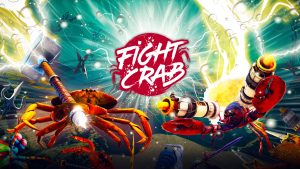
If there is one Unity project that captures the chaos and craft of this mindset, it is Fight Crab 2 by Calappa Games.
Two physics-driven crabs swinging weapons and flipping tanks may look comedic, but behind that spectacle lies Unity’s finest demonstration of control systems, physics forces, and interaction loops.
This guide draws lessons from Fight Crab 2 to teach you how to think like a creator, not just a learner. Each phase mirrors how studios use Unity to move from idea to prototype with professional discipline.
Understanding The Player Loop Before Building
All games begin as a loop, and Fight Crab 2’s is no exception. While the loop is very basic (move, attack, counter, and flip), each of these movements has power due to the underlying system.
As a novice, your first task will be to create the same loop as Fight Crab 2 in your own project. What does your player do repeatedly? What is it about it that is enjoyable to them?
Professionals create diagrams of these loops on paper prior to writing any code. They identify the actions the player takes, the consequences that occur, and the feedback the player receives – the three sides of the triangle that sustain the player’s interest.
In the example given, where one crab flips the other, the visual feedback (slow motion, sparks, camera shake) that occurs after the player’s movement is successful reinforces their sense of accomplishment.
Create this same type of thinking into a small prototype as well; one input, one output, and one feedback effect. This is how professionals provide clarity in a chaotic world.
Unity’s Structure – How Complicated Ideas Become Modularity
Behind the seemingly complex physics of Fight Crab 2, is Unity’s core structure – GameObjects, Components, and Scenes. Every crab is a parent object that controls over a dozen child objects (claws, shell, etc.) – all of which have their own Rigidbody and Collider.
The entire ocean environment is one Scene, containing multiple light sources, camera rigs, and environmental triggers.
When a novice understands the architectural structure of a game, they reduce the likelihood of confusion later. Game Objects are containers; Components are what govern their behavior.
When a crab swings a sword in Fight Crab 2, Unity determines the physical force of that sword’s Rigidbody and the surface interaction through its Collider.
At a small scale, the principle is the same: behavior comes from the correct layering of components, not from random coding techniques.
There is a good studio practice that begins here — label every object clearly and organize them in a logical manner. “Crab_Claw_Left” and “Crab_Claw_Right” are not just fancy names — they serve as documentation for both you and your fellow developers.
Building Phase – Converting Control Into Interactive Elements
The primary focus of any action game is control. Claws in Fight Crab 2 respond to analog input and produce that loose-yet-deliberate feel of chaos.
Novices can easily replicate an abstracted version of this using Unity’s Visual Scripting System. Rather than write code, novices can connect input nodes to motion events (Input Move → Apply Force → Play Animation).
The objective is to demonstrate cause-and-effect rather than recreate the entirety of Fight Crab 2’s mechanics. With each connection between input nodes and motion events, beginners learn how their intent as players translates into mechanical responses.
Professionals follow the same iterative design process – adding physics constraints, testing damping levels, adjusting mass — to hone motion until it feels grounded.
Keep in mind that Unity’s physics engine is predictable so long as you work within its bounds. The moment you exceed the boundaries of physically possible forces, objects will either jitter or clip through geometry.
While games such as Fight Crab 2 intentionally embrace the unpredictability of physics, they still manage it through constant testing and balancing numbers.
The Polishing Layer – When Chaos Feels Designed
Polish is not about graphics; it is about coherence. In Fight Crab 2, when a claw lands a hit, multiple sensory layers fire together — a metallic clang, a vibration, a flash of light. This instant convergence of sight, sound, and motion convinces the player that the hit mattered.
In Unity, these details come from combining Particle Systems, Audio Sources, and Animation Events. When your object collides, trigger a brief spark particle and play a synced impact sound. These micro reactions create immersion far more effectively than high-poly models.
The same goes for lighting and camera behaviour. The dramatic zoom during a crab flip is achieved through Unity’s Cinemachine – a tool that automates camera focus and motion.
For beginners, mastering Cinemachine teaches spatial storytelling by guiding attention to where action matters most.
Testing and Iteration – Converting Input to Improvement
Fight Crab 2 was not built with one single build. The gravity, friction, and mass of all objects were tested across hundreds of configurations until the game’s movement felt ridiculous yet playable.
Builds in the same way. Test very small changes, note your findings, and test again, in different ways. Back up versions daily so you can see the development process and build muscle memory for development. As you test, don’t think about “bugs”, think about “player feel”.
How responsive? How readable? How fair? Do the players have fun? This is called “playtest-driven design.”
If you are a student, then you should be thinking about what went wrong and what worked during each session.
The Profiler and Stats windows in Unity can help you determine whether the physics engine is getting overwhelmed or the frame rate is dropping, helping you better optimize your work.
Creating Through Development – Why Working on a Real Project Matters
Reading tutorials cannot give you the knowledge of production. Creating a game under a mentor’s guidance gives you insight into production.
While creating a game, you will gain knowledge of managing scope, determining which gameplay loops to prioritize, and learning to finish the game you started. All the wacky ideas in Fight Crab 2 were developed through iterative refinement.
A real project mirrors that environment. A real project forces you to deal with review sessions, an asset pipeline, and documentation – the unseen framework behind every successful game.
And through the struggle of working within those limitations, you will learn how to sustain your creativity under stress.
Conclusion – What Most Newcomers Overlook
What makes Unity so powerful isn’t the tools provided, but how you utilize the tools to create systems. A game as wild and unpredictable as Fight Crab 2 works well because it follows the rules before breaking them.
Every mechanic in the game has physics-based behavior, even though the end result looks completely random. That is where the discipline meets the freedom – that is what separates every skilled developer from the pack.
When you begin building your first Unity project, instead of focusing solely on replicating, try to understand why something behaves the way it does. When you finally figure that out, every new scene you create, regardless of how simple it may seem, is another addition to your vocabulary.
FAQs
- Is Unity good for beginners in 2026?
Yes. Unity remains one of the most accessible professional engines for new creators. It supports visual scripting, extensive documentation, and a thriving global community.
- How long does it take to make a simple action game in Unity?
A functional prototype can be achieved within six to eight weeks if you dedicate consistent hours each week. Focus first on one mechanic — movement or attack — before adding complexity.
- Do I need coding to make a Unity game?
No. Unity’s visual scripting tools allow beginners to create logic through nodes. However, learning basic scripting later enhances flexibility.
- What makes Fight Crab 2 a good learning example?
It demonstrates how physics, hierarchy, and feedback loops interact in Unity. Though chaotic on screen, its systems are disciplined — ideal for understanding the balance between control and unpredictability.
- What is the best Unity 3D course for beginners in 2026?
Look for programs that combine mentorship with live projects. Courses offering project reviews, industry feedback, and portfolio development create the strongest learning outcomes.
Related Posts
SPEAK TO AN ADVISOR
Need guidance or course recommendations? Let us help!
